

Streamlabs
Adding Now Playing to Streamlabs is pretty straight forward and easy, let us show you how.
First, Make sure you have Now Playing Running on your machine and its connected to your DJ Application or DJ Machine (If you are using a two PC Setup)
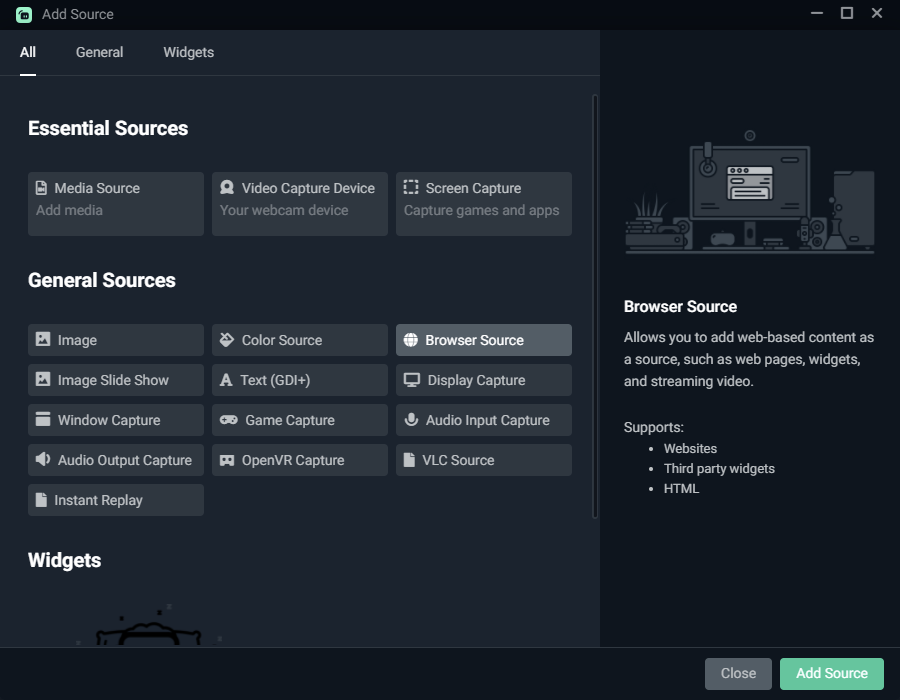
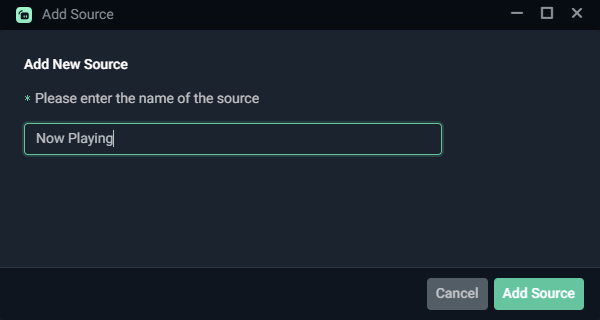
Add a new Browser source to the scene and call it whatever you like, I chose “Now Playing“.
Copy the URL that is provided in the app, which is: http://localhost:9000.
You can use any size you wish for the source element,
but the recommended size would be 1800 x 400 if your stream resolution is 1920 x 1080.
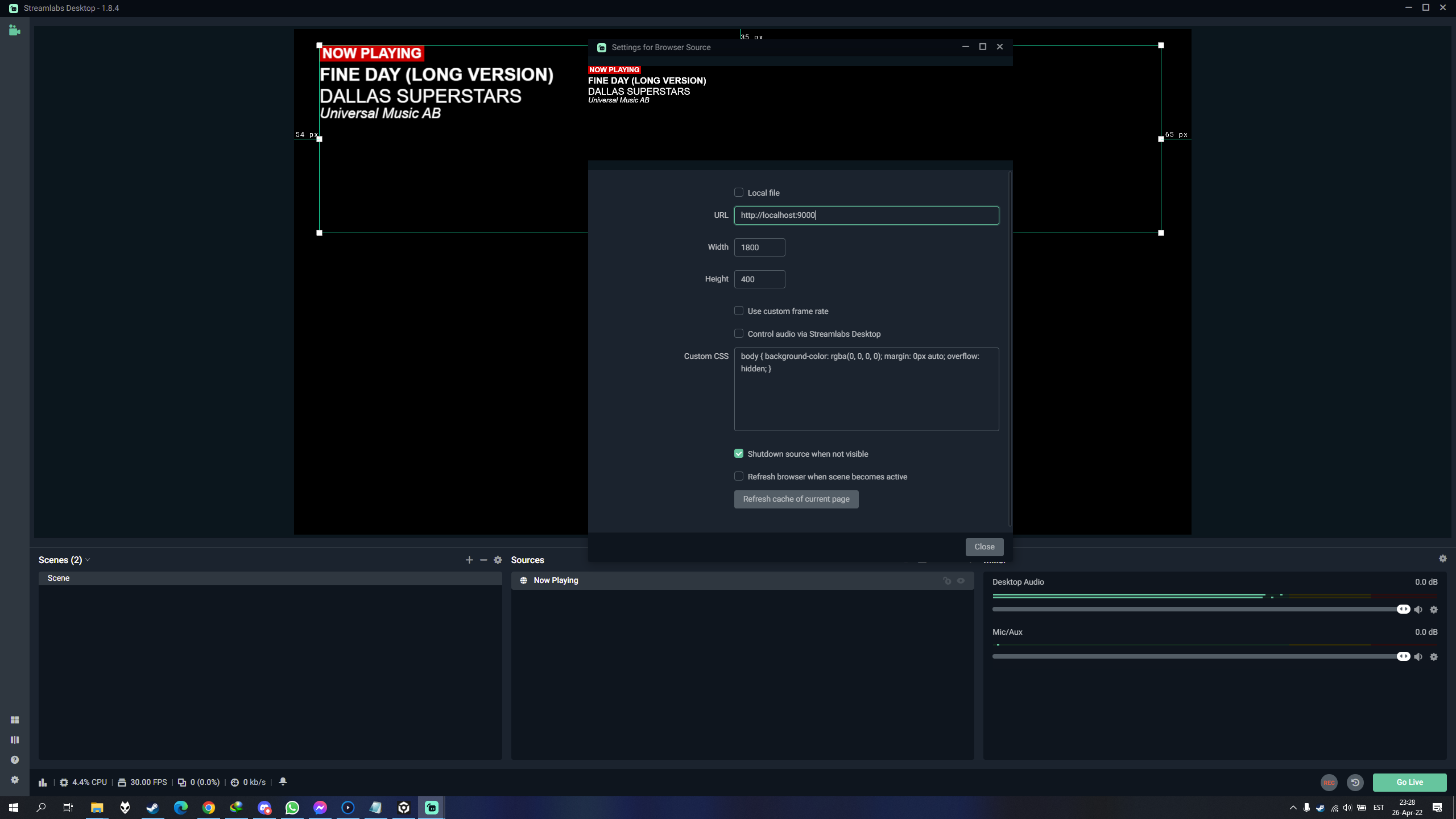
And that is it. Congrats, you have added Now Playing to your streaming setup! Wasnt that hard was it?